
Professional Email Protection, Anti-Phishing & Exchange Online Security Configuration

Is your business receiving suspicious emails, phishing messages, fake invoices, spam, or emails from impersonated business addresses?
Are your employees receiving emails that appear to come from your company management, finance department, vendors, or business partners?
Email remains one of the most important communication channels for businesses. However, it is also a common entry point for cyberattacks, phishing attempts, business email compromise, and unauthorized access.
A single employee clicking a malicious link or opening an unsafe attachment can create security risks for an entire organization.
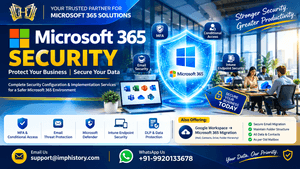
At IMP History, we provide Microsoft 365 Email Security & Anti-Phishing Configuration Services to help businesses strengthen their Exchange Online email protection.
We assist organizations with Microsoft Defender for Office 365, Exchange Online Protection (EOP), anti-phishing policies, anti-spam configuration, email authentication, malicious attachment protection, and email threat investigation.
Our objective is to help businesses improve email security, reduce exposure to common email threats, and establish appropriate protection policies for their Microsoft 365 environment.
Whether you are a startup, small business, or growing organization, we can help assess your existing email security configuration and implement suitable protection settings.
1. Microsoft 365 Email Security Assessment
Before implementing email security policies, it is important to understand how your existing Microsoft 365 email environment is configured.
We provide Microsoft 365 email security assessments to identify configuration gaps and recommend appropriate improvements.
Our assessment services include:
- Exchange Online Protection configuration review.
- Existing anti-spam policy assessment.
- Anti-phishing policy review.
- Anti-malware configuration review.
- Email authentication assessment.
- SPF record verification.
- DKIM configuration verification.
- DMARC policy assessment.
- Safe Links configuration review, where licensed.
- Safe Attachments configuration review, where licensed.
- Mail flow rule assessment.
- External sender identification review.
- Email forwarding configuration review.
- Quarantine policy assessment.
- Email security incident review.
After completing the assessment, we provide recommendations based on your organization’s existing Microsoft 365 subscription and security requirements.
2. Exchange Online Protection (EOP) Configuration
Exchange Online Protection is Microsoft’s email filtering service that helps protect organizations against spam, malware, and other email-based threats.
EOP provides built-in email protection for supported Exchange Online environments.
We help configure and review Exchange Online Protection settings according to your business requirements.
Our EOP configuration services include:
Anti-Spam Policies
- Incoming spam filtering.
- Outbound spam filtering.
- Bulk email handling.
- Spam confidence level configuration.
- High-confidence spam handling.
- Spam quarantine configuration.
- Allowed and blocked sender management.
- Allowed and blocked domain management.
Anti-Malware Policies
- Malware detection configuration.
- Malicious attachment filtering.
- Malware notification settings.
- Administrator notification configuration.
- Malware policy review.
Connection Filtering
- IP allow list review.
- IP block list review.
- Connection filtering configuration.
- Trusted sender assessment.
Quarantine Management
- Quarantine policy configuration.
- User quarantine notification settings.
- Administrator quarantine access.
- Quarantined email review.
- Release and reporting procedures.
We configure these settings to help reduce unwanted and potentially harmful messages reaching employee mailboxes.
3. Microsoft 365 Anti-Phishing Policy Configuration
Phishing attacks are designed to trick employees into sharing passwords, opening malicious attachments, or transferring money to fraudulent accounts.
Attackers frequently create emails that look similar to messages from trusted companies, senior management, financial institutions, or business partners.
We provide Microsoft 365 anti-phishing policy configuration to help identify and handle suspicious email activity.
Our anti-phishing services include:
- Anti-phishing policy creation.
- Impersonation protection configuration.
- User impersonation protection.
- Domain impersonation protection.
- Trusted sender configuration.
- Trusted domain configuration.
- Mailbox intelligence settings, where supported.
- Spoof intelligence configuration.
- Phishing detection policy review.
- Suspicious sender handling.
- Phishing quarantine configuration.
Executive and Management Impersonation Protection
One common attack involves sending fraudulent emails that appear to come from company directors, managers, or finance personnel.
For example:
An employee receives an email appearing to come from the company director requesting an urgent payment or confidential business information.
We can help configure impersonation protection for selected executives, finance users, and other important business identities.
This helps improve detection of suspicious messages impersonating trusted individuals.
4. Microsoft Defender for Office 365 Configuration
Microsoft Defender for Office 365 provides additional email and collaboration security capabilities to help protect organizations against advanced email threats.
Depending on the available subscription, we can assist with configuring and reviewing Defender for Office 365 features.
Our configuration services include:
- Defender for Office 365 policy assessment.
- Anti-phishing configuration.
- Safe Links policy configuration.
- Safe Attachments policy configuration.
- Advanced email threat protection.
- Threat Explorer investigation assistance.
- Email campaign investigation.
- User-reported phishing investigation.
- Automated investigation configuration review, where supported.
- Threat policy assessment.
Safe Links Configuration
Safe Links helps protect users when they click links in supported email and collaboration applications.
We assist with:
- Safe Links policy creation.
- URL scanning configuration.
- Protection for supported Office applications.
- Time-of-click protection settings.
- User notification configuration.
- Policy assignment to selected users or groups.
Safe Attachments Configuration
Safe Attachments helps protect users from potentially malicious attachments by analyzing files before they are delivered or accessed, depending on the configured protection mode.
We assist with:
- Safe Attachments policy creation.
- Attachment scanning configuration.
- Dynamic Delivery configuration, where supported.
- Block and monitoring policy assessment.
- Policy assignment.
- Security configuration validation.
Important: Safe Links, Safe Attachments, and other advanced Defender capabilities require the appropriate Microsoft Defender for Office 365 licensing. We review your existing subscription before recommending implementation.
5. SPF, DKIM & DMARC Email Authentication Configuration
Email authentication is an important part of protecting your business domain against unauthorized email sending and domain spoofing.
Incorrect or missing authentication records can affect email delivery and make it easier for attackers to impersonate your organization.
We provide SPF, DKIM, and DMARC configuration services for Microsoft 365 business domains.
SPF Configuration
Sender Policy Framework (SPF) helps receiving email systems identify which sending sources are authorized to send emails on behalf of your domain.
Our SPF services include:
- Existing SPF record assessment.
- SPF TXT record configuration.
- Authorized sending source review.
- Duplicate SPF record identification.
- SPF syntax validation.
- DNS record verification.
DKIM Configuration
DomainKeys Identified Mail (DKIM) adds a digital signature to outgoing email messages to help receiving systems verify that the message was authorized by the signing domain and has not been modified in transit.
Our DKIM services include:
- DKIM configuration in Microsoft 365.
- DKIM selector configuration.
- Required CNAME record creation.
- Domain signing activation.
- DKIM status verification.
- Email authentication testing.
DMARC Configuration
Domain-based Message Authentication, Reporting and Conformance (DMARC) helps domain owners define how receiving systems should handle messages that fail DMARC authentication and provides reporting capabilities.
Our DMARC services include:
- DMARC TXT record configuration.
- DMARC policy assessment.
- Monitoring policy setup.
- Quarantine policy planning.
- Reject policy planning.
- DMARC reporting configuration.
- Authentication result assessment.
Email Authentication Implementation
We generally recommend a planned implementation approach:
- Review existing SPF configuration.
- Configure DKIM for the business domain.
- Publish an appropriate DMARC monitoring policy.
- Review authentication reports.
- Identify legitimate third-party sending sources.
- Correct authentication failures.
- Plan stricter DMARC enforcement when appropriate.
This approach helps businesses avoid accidentally blocking legitimate email services.
6. Business Email Spoofing Protection
Email spoofing occurs when an attacker creates a message that appears to originate from another person’s or organization’s email address.
For example:
An attacker sends a fraudulent email appearing to come from:
Employees may believe that the email is genuine and follow the attacker’s instructions.
We help businesses implement appropriate anti-spoofing and domain authentication controls.
Our spoofing protection services include:
- Spoof intelligence review.
- Domain impersonation protection.
- SPF authentication assessment.
- DKIM signing configuration.
- DMARC policy implementation.
- Spoofed sender investigation.
- Trusted domain review.
- Suspicious email handling configuration.
- Email authentication troubleshooting.
We help identify configuration weaknesses and improve protection against unauthorized use of your business email identity.
7. External Sender Identification & Email Warning Configuration
Employees frequently receive emails from customers, vendors, suppliers, and other external organizations.
Sometimes, attackers use external email addresses that look similar to internal company addresses.
We can assist with external sender identification and email warning configuration.
Our services include:
- External sender identification.
- Exchange Online mail flow rule configuration.
- External email warning banner implementation.
- Internal and external sender identification.
- Sender domain condition configuration.
- Email disclaimer configuration.
- Mail flow rule testing.
Example External Email Warning
We can help configure an appropriate warning message for incoming external emails, such as:
“WARNING: This email originated outside your organization. Verify the sender before clicking links, opening attachments, or sharing confidential information.”
This provides employees with an additional visual reminder when handling external messages.
8. Malicious Email & Attachment Protection
Malicious email attachments can contain harmful files, scripts, or links designed to compromise employee devices and business information.
We help businesses review and configure Microsoft 365 email attachment protection.
Our services include:
- Anti-malware policy review.
- Attachment filtering configuration.
- Common attachment type assessment.
- Safe Attachments policy implementation, where licensed.
- Suspicious attachment investigation.
- Quarantine configuration.
- Malware-related email investigation.
- Email threat reporting.
We also help organizations review attachment handling requirements so that legitimate business communication is not unnecessarily interrupted.
9. Microsoft 365 Email Quarantine Management
Microsoft 365 may quarantine emails identified as spam, phishing, malware, or other suspicious messages.
Sometimes, legitimate business emails can also be incorrectly identified and quarantined.
We provide quarantine configuration and troubleshooting assistance.
Our quarantine services include:
- Quarantine policy configuration.
- Quarantine notification settings.
- User quarantine access configuration.
- Administrator quarantine management.
- Quarantined email investigation.
- False-positive email assessment.
- Safe email release guidance.
- Quarantine policy review.
We help administrators understand why an email was quarantined and determine the appropriate action.
10. Exchange Online Mail Flow Rules for Email Security
Exchange Online mail flow rules, also known as transport rules, can help organizations apply specific controls to incoming and outgoing email messages.
We assist with mail flow rules based on your organization’s requirements.
Example configuration scenarios:
- External email warning banners.
- Blocking selected file attachment types.
- Restricting emails from specific domains.
- Controlling selected sender and recipient combinations.
- Applying disclaimers.
- Restricting certain outbound email patterns.
- Redirecting selected messages for review.
- Applying message handling conditions.
Business Email Control Examples
For example, a business may require additional controls for emails containing confidential information or messages sent to external recipients.
We can review the requirement and configure suitable Exchange Online mail flow rules where supported.
Every rule is tested before implementation to reduce the possibility of interrupting normal business communication.
11. Outbound Spam Protection & Unauthorized Email Sending Investigation
Sometimes, a Microsoft 365 account may be compromised and used to send unwanted or suspicious emails.
This can result in outbound spam restrictions, email delivery failures, or damage to the organization’s email reputation.
We provide assistance with investigating suspicious outbound email activity.
Our services include:
- Outbound spam policy review.
- Suspicious sending activity investigation.
- Exchange Online message trace analysis.
- Sender account assessment.
- Mailbox forwarding review.
- Suspicious inbox rule investigation.
- User sign-in activity review.
- Compromised account response assistance.
- Outbound email restriction investigation.
- Email sending validation.
Compromised Account Investigation
If an employee account is suspected of sending unauthorized emails, we can assist with:
- Reviewing the affected account.
- Checking Microsoft Entra sign-in logs.
- Investigating suspicious login locations.
- Reviewing message trace information.
- Checking inbox rules and forwarding settings.
- Resetting compromised credentials.
- Revoking active sessions.
- Reviewing MFA registration.
- Identifying suspicious sending activity.
- Recommending additional security controls.
Our investigation helps administrators understand the possible source of suspicious email activity and take corrective action.
12. Microsoft 365 Email Security for Small Businesses
Small businesses often do not have a dedicated IT security team to manage email protection.
However, even a small organization can receive phishing emails, fraudulent invoices, spoofed messages, and malicious attachments.
We provide email security configuration services suitable for businesses with different numbers of users.
Our services for small businesses include:
- Exchange Online Protection configuration.
- Anti-spam policy configuration.
- Anti-phishing policy configuration.
- SPF, DKIM, and DMARC setup.
- External sender warning configuration.
- Quarantine policy configuration.
- Email authentication assessment.
- Defender for Office 365 configuration, where licensed.
- Suspicious email investigation.
- Security policy testing.
Suitable for:
- Startups.
- Small businesses.
- Medium-sized organizations.
- Accounting and finance companies.
- Consulting firms.
- IT service providers.
- Businesses using Microsoft 365 Business subscriptions.
- Organizations receiving frequent suspicious emails.
We assess the existing Microsoft 365 subscription and recommend email security features that are suitable for the organization’s requirements.
13. Our Microsoft 365 Email Security Implementation Process
We follow a structured approach when implementing email security policies.
Step 1 – Initial Assessment
We review the existing Microsoft 365 tenant, email domains, subscriptions, and current security configuration.
Step 2 – Security Requirement Gathering
We understand your organization’s email protection requirements, including spam handling, impersonation protection, attachment restrictions, and authentication.
Step 3 – Licensing Assessment
We verify whether the required email security features are available in your current Microsoft 365 subscription or whether additional licensing is required.
Step 4 – Policy Configuration
We configure the agreed Exchange Online Protection, anti-phishing, anti-spam, anti-malware, and Defender policies.
Step 5 – Email Authentication Setup
We review and configure SPF, DKIM, and DMARC records based on the organization’s legitimate email sending sources.
Step 6 – Policy Testing
We test the implemented configurations and review their impact on normal business email communication.
Step 7 – Configuration Handover
We provide the relevant configuration details and recommendations to the customer.
Step 8 – Ongoing Support
We can provide additional email security troubleshooting and configuration assistance according to the agreed support arrangement.
14. Why Choose IMP History for Microsoft 365 Email Security?
Email protection requires proper configuration, testing, and regular attention.
We focus on providing practical Microsoft 365 email security services based on each customer’s business requirements.
Our Service Highlights
Customer-Focused Technical Support
We aim to understand your existing email environment before recommending changes.
Affordable Configuration Services
We provide cost-effective service options for startups and small businesses.
Microsoft 365 Technical Expertise
We assist with Exchange Online, Defender for Office 365, email authentication, mail flow rules, and email threat investigation.
Long-Term Customer Relationships
We currently maintain relationships with approximately 50 customers, with several customers continuing to work with us for around 4 to 7 years.
Beyond Initial Configuration
We also provide Microsoft 365 administration and technical support after the initial email security implementation.
Practical Security Recommendations
We focus on implementing suitable controls rather than applying unnecessary restrictions that could interrupt normal business operations.
Our objective is to help businesses improve their email security configuration while maintaining smooth daily communication.
15. Affordable Microsoft 365 Email Security Configuration Services
Every organization has different email security requirements.
Some businesses need basic Exchange Online Protection configuration, while others require advanced Defender for Office 365 capabilities and detailed anti-phishing policies.
We provide service quotations based on the required configuration and implementation scope.
Available service options
Email Security Assessment
Suitable for businesses that want to review their existing email protection settings.
Standard Email Protection Configuration
Suitable for organizations requiring:
- Anti-spam configuration.
- Anti-malware policy review.
- SPF, DKIM, and DMARC setup.
- Quarantine configuration.
- External email warning configuration.
Advanced Email Threat Protection
Suitable for organizations requiring additional protection features, subject to licensing:
- Advanced anti-phishing policies.
- User impersonation protection.
- Domain impersonation protection.
- Safe Links.
- Safe Attachments.
- Threat investigation assistance.
- Advanced email security policy configuration.
Ongoing Email Security Support
Suitable for organizations requiring regular configuration reviews, email threat investigation, and troubleshooting.
Our charges depend on the number of users, domains, Microsoft 365 subscription, and required security configuration.
Microsoft subscriptions and additional security licenses are charged separately.
Frequently Asked Questions (FAQs)
1. What is Microsoft 365 Email Security Configuration?
Microsoft 365 Email Security Configuration involves setting up and reviewing email protection features such as anti-spam, anti-phishing, anti-malware, SPF, DKIM, DMARC, and other Exchange Online security controls.
2. What is Exchange Online Protection (EOP)?
Exchange Online Protection is Microsoft’s cloud-based email filtering service that helps protect supported email environments against spam, malware, and other email threats.
3. What is the difference between EOP and Microsoft Defender for Office 365?
EOP provides baseline email filtering and protection. Microsoft Defender for Office 365 adds advanced capabilities such as Safe Links, Safe Attachments, and additional threat investigation features, depending on the purchased plan.
4. Can you configure anti-phishing policies for all employees?
Yes. We can configure anti-phishing policies and assign them to selected users or groups according to your organization’s requirements and licensing.
5. Can you protect our company director’s email address against impersonation?
Yes. We can help configure user impersonation protection for selected executives and other important business identities where the required licensing is available.
6. Do you provide SPF, DKIM, and DMARC configuration?
Yes. We provide DNS record assessment and configuration assistance for SPF, DKIM, and DMARC to improve email authentication for your business domain.
7. Can you stop external users from sending emails that look like they come from our company?
We can help implement domain authentication and anti-spoofing controls to improve detection and handling of unauthorized messages. No email security solution can guarantee that every spoofing attempt will be blocked.
8. Can you configure external email warning banners?
Yes. We can configure Exchange Online mail flow rules to identify external messages and display an appropriate warning banner.
9. Can you investigate phishing emails received by employees?
Yes. We can assist with reviewing suspicious messages, sender details, message headers, URLs, attachments, and relevant Microsoft 365 security information.
10. Do we need additional licensing for Defender for Office 365?
Some advanced Defender for Office 365 features require additional licensing. We review your existing subscription and recommend the appropriate licensing based on the required features.
11. Can you configure email security for a small business?
Yes. We provide email security configuration services for startups and small businesses using Microsoft 365.
12. Will email security configuration affect normal email delivery?
Incorrectly configured policies can affect legitimate emails. We follow a planned implementation and testing approach to minimize false positives and unnecessary email interruptions.
13. Do you provide email security support after implementation?
Yes. We also provide ongoing Microsoft 365 administration, email troubleshooting, security policy reviews, and technical support according to the agreed service scope.
Contact us for Microsoft 365 Email Security Services
Are you concerned about phishing attacks, spoofed emails, suspicious attachments, or unauthorized email activity?
Need assistance configuring Microsoft Defender for Office 365, Exchange Online Protection, or SPF, DKIM, and DMARC?
Contact us for an affordable Microsoft 365 Email Security Configuration Service.
Our Email Security Services
- Exchange Online Protection Configuration.
- Microsoft Defender for Office 365 Configuration.
- Anti-Phishing Policy Configuration.
- Anti-Spam & Anti-Malware Configuration.
- SPF, DKIM & DMARC Configuration.
- Domain Impersonation Protection.
- User Impersonation Protection.
- Safe Links Configuration.
- Safe Attachments Configuration.
- External Email Warning Configuration.
- Quarantine Policy Management.
- Exchange Online Mail Flow Rules.
- Outbound Spam Investigation.
- Suspicious Email Investigation.
- Microsoft 365 Email Security Assessment.
Contact Information
Website: https://imphistory.com
Email: support@imphistory.com
WhatsApp / Phone: +91-9920133678
Request an Email Security Assessment
To help us understand your requirements, please share:
- Company name.
- Number of Microsoft 365 users.
- Your current Microsoft 365 subscription.
- Your business domain name.
- Whether you are facing phishing, spam, spoofing, or suspicious email issues.
- Whether you require basic or advanced email protection.
We will review your requirements and suggest a suitable configuration approach with affordable service charges.
Microsoft 365 Email Security & Anti-Phishing Configuration Services for Businesses Across India.
Protect your business email environment with appropriate security configurations, professional technical assistance, and ongoing Microsoft 365 support.



Recent Comments