
Affordable Microsoft Intune Setup & Deployment Services for Small Businesses
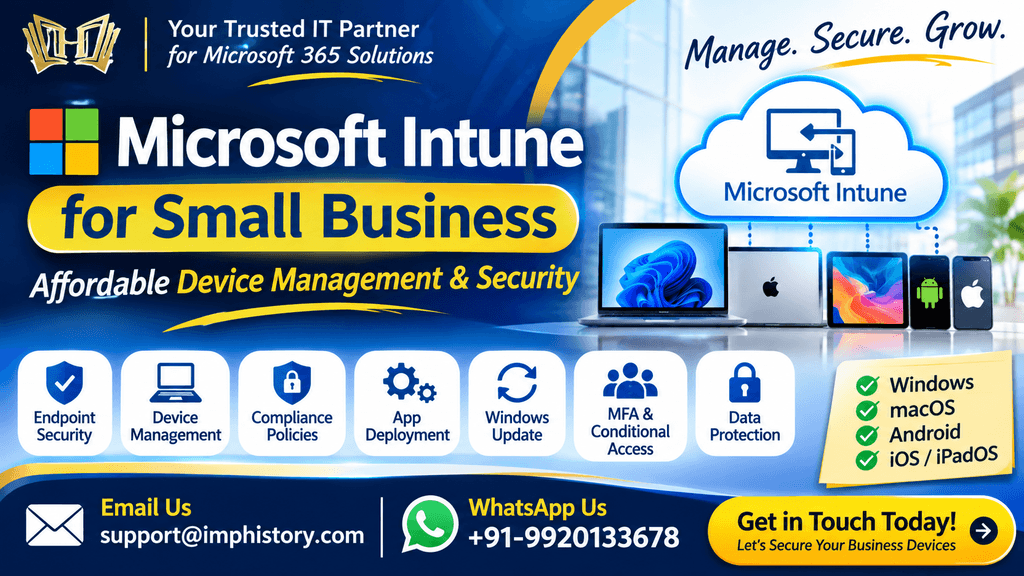
Are you running a small business or startup and looking for a centralized solution to manage and secure your employees’ laptops, desktops, and mobile devices?
We provide Microsoft Intune deployment and configuration services for small businesses, helping organizations manage employee devices, protect business information, enforce security policies, and control access to company resources.
With Microsoft Intune, businesses can manage Windows laptops, MacBooks, Android smartphones, iPhones, and iPads from a centralized cloud-based administration portal.
Whether your company has 5, 10, 20, 50, or 100+ employees, we can help you implement Microsoft Intune based on your business requirements and available Microsoft 365 licensing.
Our objective is to provide affordable Microsoft Intune deployment services without unnecessary infrastructure or complicated management processes.
Why Does Your Small Business Need Microsoft Intune?
Many small businesses allow employees to access company emails, documents, and applications from personal or corporate devices.
Without proper device management, organizations may face security risks such as:
- Unauthorized access to company information.
- Employees using unmanaged devices.
- Company data stored on personal devices.
- Unauthorized application installation.
- Data copied to USB drives.
- Weak device passwords.
- Missing security updates.
- Unprotected laptops.
- Unauthorized administrator access.
- Company information remaining on devices after employee departure.
Microsoft Intune helps organizations establish centralized device management and security controls.
With a properly configured Intune environment, your business can manage devices, enforce compliance requirements, deploy applications, and protect corporate data.
What We Provide: Microsoft Intune Deployment for Small Businesses
Our Microsoft Intune deployment service covers the essential requirements for setting up a secure and manageable endpoint environment.
1. Microsoft Intune Tenant Setup
If your organization is new to Microsoft Intune, we can assist with the initial tenant preparation and configuration.
Services include:
- Microsoft Intune environment assessment.
- Intune administration setup.
- Microsoft 365 tenant review.
- User and security group preparation.
- Device enrollment configuration.
- Platform configuration.
- Policy preparation.
- License requirement assessment.
- Initial security configuration.
- Configuration testing.
We prepare the environment according to your organization’s requirements before enrolling employee devices.
2. Windows Laptop & Desktop Enrollment
Windows devices are commonly used in small businesses for daily business operations.
We can help enroll and manage your employees’ Windows devices through Microsoft Intune.
Windows enrollment services:
- Windows device enrollment.
- Microsoft Entra ID join configuration.
- Automatic enrollment configuration.
- Device group creation.
- Device naming configuration.
- Configuration profile assignment.
- Compliance policy assignment.
- Security policy deployment.
- Device synchronization.
- Enrollment troubleshooting.
Once enrolled, administrators can monitor device status and manage supported configurations from the Intune admin center.
3. MacBook & macOS Device Management
If your organization uses Apple MacBooks, we can help configure supported macOS management through Microsoft Intune.
macOS configuration:
- MacBook enrollment.
- Apple MDM Push Certificate assistance.
- Apple Business Manager integration assistance.
- Configuration profile creation.
- FileVault encryption configuration.
- Application deployment.
- macOS update management.
- Compliance policies.
- Security restrictions.
- Microsoft 365 application configuration.
This helps businesses manage Windows and Apple devices through a centralized endpoint management approach.
4. Android Mobile Device Management
Employees frequently access company emails and business applications through Android smartphones.
We can configure Android Enterprise management based on your organization’s requirements.
Android services:
- Android Enterprise enrollment.
- Corporate-owned device enrollment.
- Personally owned work profile configuration.
- Microsoft Outlook deployment.
- Microsoft Teams deployment.
- OneDrive configuration.
- Device compliance policies.
- Password and screen lock requirements.
- Application protection policies.
- Conditional Access integration.
- Corporate data restrictions.
For BYOD environments, we can help protect company information inside supported applications without necessarily managing the employee’s entire personal device.
5. iPhone & iPad Management
We also provide Intune configuration for supported Apple mobile devices.
iOS/iPadOS management services:
- iPhone enrollment.
- iPad enrollment.
- Apple MDM Push Certificate assistance.
- Apple Business Manager integration assistance.
- Device compliance policies.
- Configuration profiles.
- Outlook application deployment.
- Teams application deployment.
- OneDrive configuration.
- Application protection policies.
- Passcode requirements.
- Corporate data access restrictions.
This allows businesses to manage supported Apple mobile devices and apply security requirements.
6. Multi-Factor Authentication (MFA) Configuration
MFA is one of the most important security requirements for small businesses.
Password-only authentication can expose organizations to account compromise.
We can help configure MFA requirements using Microsoft Entra ID.
MFA services:
- MFA implementation planning.
- Conditional Access-based MFA.
- Microsoft Authenticator setup guidance.
- Administrator MFA enforcement.
- User group-based policy configuration.
- Authentication method preparation.
- Sign-in troubleshooting.
- MFA testing and validation.
Business benefit: Adds an additional authentication requirement to help protect company accounts from unauthorized access.
7. Conditional Access Configuration
Conditional Access helps organizations control access to Microsoft 365 applications based on selected conditions.
We can configure Conditional Access policies according to your company’s security requirements.
Example policies:
- Require MFA for all applicable users.
- Require compliant devices.
- Block legacy authentication.
- Restrict access from selected device platforms.
- Protect administrator accounts.
- Configure location-based access restrictions.
- Restrict access to selected cloud applications.
- Configure guest access requirements.
- Exclude approved emergency access accounts.
Example: Block access from non-compliant devices
If an employee attempts to access company email from a device that does not meet the organization’s compliance requirements, Conditional Access can restrict access to the selected Microsoft 365 resources.
This requires appropriate licensing and correct configuration of Intune compliance and Conditional Access policies.
8. Device Compliance Policies
A device compliance policy helps determine whether employee devices meet the organization’s security requirements.
We can configure compliance policies for supported platforms.
Compliance settings may include:
- Minimum operating system version.
- Password requirements.
- Device encryption.
- Antivirus status.
- Firewall status.
- Device health requirements.
- Jailbroken or rooted device detection.
- Device threat level requirements where supported.
- Non-compliance actions.
- Compliance notifications.
We can also integrate compliance policies with Conditional Access to restrict access from devices that do not meet the required standards.
9. BitLocker Encryption for Windows Devices
Business laptops often contain confidential company information, customer details, and financial documents.
BitLocker helps protect data by encrypting supported Windows drives.
We can configure:
- BitLocker encryption policies.
- Operating system drive encryption.
- TPM-related requirements.
- Startup PIN requirements where supported.
- Recovery password configuration.
- Recovery key backup to Microsoft Entra ID.
- Encryption status monitoring.
- Recovery key troubleshooting.
- BitLocker compliance validation.
Business benefit: Helps protect company data if a laptop is lost, stolen, or accessed without authorization.
10. Application Deployment & Software Management
Small businesses often need employees to use the same approved business applications.
Microsoft Intune can help deploy supported applications to enrolled devices.
Application deployment services:
- Microsoft 365 Apps.
- Microsoft Outlook.
- Microsoft Teams.
- OneDrive.
- Microsoft Edge.
- Google Chrome.
- Adobe Reader.
- Business applications.
- Supported Win32 applications.
- Required application deployment.
- Available application deployment.
- Application update configuration.
- Installation troubleshooting.
We can also help configure application assignments for selected departments or user groups.
11. USB & Removable Storage Restrictions
Unauthorized copying of business data through USB storage devices can create security risks.
We can help configure supported device restriction and endpoint security policies.
USB restriction services:
- Block removable storage access.
- Configure read-only access where supported.
- Restrict unauthorized removable devices.
- Configure device installation restrictions.
- Apply policies to selected device groups.
- Test policy behavior.
- Troubleshoot policy conflicts.
The available controls depend on the device platform, Windows edition, and endpoint security capabilities.
12. Windows Automatic Update Configuration
Keeping employee devices updated helps reduce exposure to known security vulnerabilities.
We can configure Windows Update policies through Microsoft Intune.
Windows update services:
- Update rings.
- Quality update policies.
- Feature update policies.
- Update deferral settings.
- Automatic update configuration.
- Restart behavior.
- Active hours.
- Update installation deadlines.
- Update compliance monitoring.
- Update troubleshooting.
We can also configure a pilot deployment approach before applying update policies across all company devices.
13. Microsoft Defender & Endpoint Security
Microsoft Defender provides security capabilities that can help protect business endpoints.
We can assist with supported endpoint security configuration.
Security configuration services:
- Microsoft Defender Antivirus.
- Firewall policies.
- Endpoint security policies.
- Security baselines.
- Attack Surface Reduction rules.
- Endpoint detection and response onboarding assistance.
- Security reporting.
- Device protection policies.
- Policy troubleshooting.
Microsoft Defender for Business and advanced endpoint security capabilities have separate licensing and configuration requirements.
14. Local Administrator Access Control
Giving every employee local administrator access can increase security risks.
We can help small businesses review and control administrator permissions on supported Windows devices.
Services include:
- Review local administrator accounts.
- Remove unnecessary administrator access.
- Configure standard user access.
- Manage local administrator group membership.
- Configure Microsoft LAPS.
- Configure local administrator password rotation.
- Validate policy application.
Business benefit: Helps reduce unauthorized software installation and unnecessary administrative privileges.
15. OneDrive & Company Data Protection
OneDrive for Business allows employees to access and synchronize company files.
We can help configure OneDrive settings and related data protection controls.
OneDrive configuration:
- OneDrive application deployment.
- Automatic sign-in configuration.
- Known Folder Move preparation.
- Desktop/Documents/Pictures backup configuration.
- Files On-Demand.
- Personal OneDrive account restrictions.
- Supported synchronization restrictions.
- OneDrive access configuration.
- Synchronization troubleshooting.
We can also assist with SharePoint and OneDrive sharing permissions to help organizations control access to business documents.
16. Application Protection Policies for BYOD
Not every small business provides corporate mobile phones to employees.
Some organizations allow employees to use personal smartphones for business email and applications.
Microsoft Intune App Protection Policies can help protect company data within supported applications.
App Protection Policy configuration:
- Require application PIN.
- Restrict copy and paste.
- Restrict corporate data transfer.
- Control saving company data to personal storage.
- Configure supported application access requirements.
- Protect corporate information within supported apps.
- Selectively remove corporate application data.
This approach can help organizations protect business information without requiring full device enrollment in every BYOD scenario.
17. Employee Device Onboarding & Offboarding
Managing employee devices is important when staff members join or leave an organization.
We can help establish a structured device onboarding and offboarding process.
Employee onboarding:
- Create Microsoft 365 accounts.
- Assign required licenses.
- Enroll company devices.
- Configure applications.
- Assign security policies.
- Configure MFA.
- Verify device compliance.
- Validate access to business resources.
Employee offboarding:
- Disable or block user sign-in.
- Revoke active sessions.
- Remove access to company resources.
- Retire or wipe eligible managed devices according to the approved process.
- Remove corporate application data where supported.
- Review assigned devices.
- Recover company equipment.
Device wipe and retirement actions must be selected carefully, particularly for personally owned devices, to avoid removing personal information.
18. Microsoft Intune Deployment Process
We follow a structured deployment process for small businesses.
Step 1 – Business Requirement Assessment
We review:
- Number of employees.
- Number of devices.
- Windows devices.
- MacBooks.
- Android devices.
- iPhones and iPads.
- Existing Microsoft 365 licenses.
- Current security requirements.
- Required business applications.
Step 2 – Intune Environment Preparation
We review the Microsoft 365 tenant and prepare the Intune configuration.
This may include user groups, enrollment settings, administrative permissions, and platform configuration.
Step 3 – Security & Policy Planning
We identify the required policies, such as:
- MFA.
- Conditional Access.
- Device compliance.
- BitLocker.
- Defender.
- USB restrictions.
- Application protection.
- Windows Update.
- Local administrator management.
Step 4 – Pilot Device Enrollment
We recommend enrolling a small number of devices first.
This helps validate:
- Device enrollment.
- Configuration policies.
- Compliance.
- Application installation.
- Security settings.
- Microsoft 365 access.
Step 5 – Organization-Wide Deployment
After successful pilot testing, the approved policies can be deployed to the remaining devices in batches.
Step 6 – Testing & Validation
We validate policy application, device status, application deployment, compliance, and Conditional Access behavior.
Step 7 – Documentation & Handover
We can provide configuration documentation and handover guidance based on the agreed service scope.
19. Microsoft Intune Packages for Small Businesses
We can prepare a service proposal based on your requirements rather than forcing every business to purchase the same configuration.
Basic Intune Deployment
Suitable for small organizations starting with centralized device management.
Possible scope:
- Intune tenant assessment.
- Initial setup.
- Windows device enrollment.
- Basic configuration profiles.
- Device compliance.
- Application deployment.
- Basic troubleshooting.
Standard Intune Deployment
Suitable for organizations that require stronger endpoint management.
Possible scope:
- Basic deployment services.
- MFA configuration.
- Conditional Access.
- BitLocker configuration.
- Windows Update policies.
- Defender configuration.
- USB restrictions.
- Local administrator management.
- OneDrive configuration.
Advanced Endpoint Security Deployment
Suitable for businesses with more comprehensive security requirements.
Possible scope:
- Standard deployment services.
- Windows, macOS, Android and iOS/iPadOS management.
- Advanced compliance planning.
- Application protection policies.
- Security baseline configuration.
- Microsoft Defender integration.
- Microsoft LAPS.
- Data protection policies.
- Advanced access restrictions.
- Reporting and documentation.
Note: The final scope depends on available Microsoft licenses, supported features, device platforms, and business requirements. Licensing costs are separate from professional service charges.
20. Affordable Microsoft Intune Services for Startups & Small Businesses
We understand that small businesses may not have a dedicated IT administration team or a large budget for endpoint security implementation.
Our objective is to provide affordable Microsoft Intune deployment and configuration services.
We can assist businesses with:
- 5 users.
- 10 users.
- 20 users.
- 50 users.
- 100+ users.
- Growing organizations with multiple device platforms.
Whether you need initial Intune setup, Windows laptop enrollment, mobile device management, MFA implementation, or a complete endpoint security deployment, we can assess your requirements and prepare a suitable service proposal.
Frequently Asked Questions
1. Is Microsoft Intune suitable for small businesses?
Yes. Microsoft Intune can help small businesses manage employee devices, deploy applications, enforce compliance, and implement centralized endpoint security without requiring traditional on-premises management infrastructure for every task.
2. Can you configure Microsoft Intune for 5 or 10 users?
Yes. We provide Intune setup and deployment services for small organizations, including businesses with 5, 10, 20, or more users.
3. Can Microsoft Intune manage Windows laptops?
Yes. Intune supports Windows device enrollment, configuration policies, compliance policies, application deployment, security configuration, and update management.
4. Can Intune manage personal mobile devices?
Yes. Supported BYOD management approaches include personal device enrollment and application protection policies. The correct method depends on your business requirements and privacy considerations.
5. Can you configure MFA for all employees?
Yes. We can assist with Microsoft Entra ID MFA implementation and Conditional Access-based enforcement, subject to licensing and configuration requirements.
6. Can Microsoft Intune block unauthorized USB devices?
Supported Intune endpoint security and device control policies can restrict removable storage access on compatible devices.
7. Can Intune automatically install applications?
Yes. Intune can deploy supported applications to assigned users and devices. Installation behavior depends on the application type, operating system, and assignment configuration.
8. Can you configure BitLocker for all company laptops?
Yes. We can prepare and deploy BitLocker policies for supported Windows devices, including recovery key backup and encryption validation.
9. Do you provide Microsoft Intune troubleshooting?
Yes. We can investigate enrollment failures, compliance errors, policy conflicts, application installation problems, BitLocker issues, and other endpoint management problems.
10. Do you provide ongoing Microsoft 365 support?
Yes. We also provide Microsoft 365 administration and support, including Exchange Online, Entra ID, Teams, OneDrive, SharePoint, Intune, and security configuration.
Why Choose Our Microsoft Intune Deployment Services?
We focus on practical Microsoft endpoint management solutions for small and growing organizations.
Our services include:
- Affordable implementation.
- Business requirement assessment.
- Windows and mobile device management.
- Centralized endpoint management.
- Device security configuration.
- Application deployment.
- MFA and Conditional Access.
- Device compliance.
- Endpoint protection.
- Troubleshooting and support.
- Configuration documentation.
We aim to help businesses improve device security, simplify IT administration, and protect company information.
Contact Us for Microsoft Intune Deployment Services
Are you planning to implement Microsoft Intune in your organization?
Let us help you set up, configure, and deploy Microsoft Intune for your business.
Our Services
Microsoft Intune Setup & Deployment
Windows Laptop Management
MacBook Management
Android Device Management
iPhone & iPad Management
MFA & Conditional Access
Device Compliance Policies
BitLocker Encryption
Microsoft Defender Configuration
Application Deployment
USB & Device Restrictions
Windows Update Management
OneDrive Configuration
Local Administrator Management
Microsoft 365 Support & Administration
Get in Touch
📧 Email: support@imphistory.com
📱 Phone / WhatsApp: +91-9920133678
To receive a service proposal, please share:
- Number of employees.
- Number of Windows laptops/desktops.
- Number of MacBooks.
- Number of Android devices.
- Number of iPhones/iPads.
- Existing Microsoft 365 license details.
- Required security and device management policies.
We will review your requirements and help you plan a suitable, affordable Microsoft Intune deployment.
Microsoft Intune Deployment for Small Businesses – Manage Devices, Secure Company Data, and Simplify Endpoint Management.






Recent Comments