
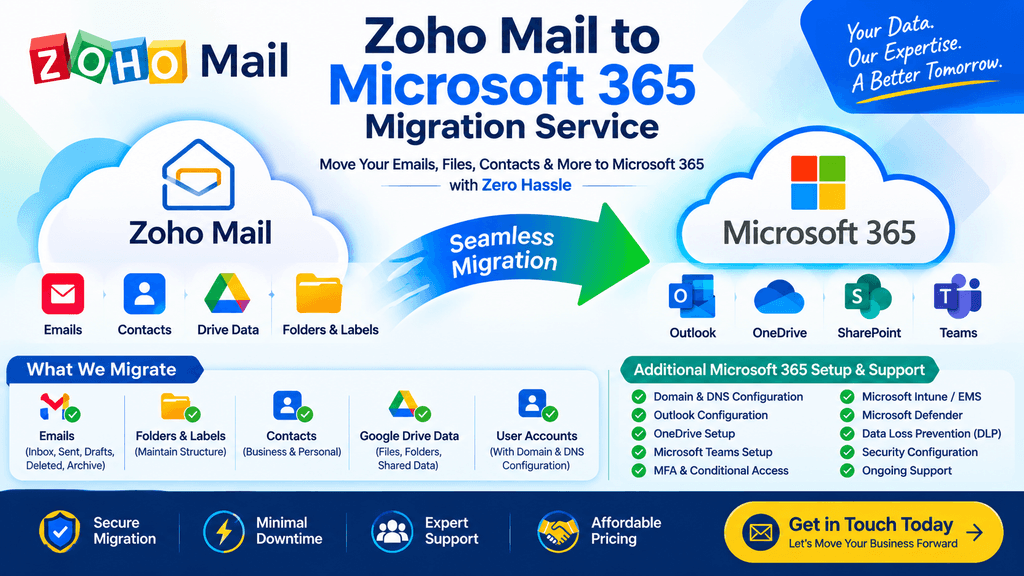
Professional Zoho Mail to Microsoft 365 Migration Services
Are you currently using Zoho Mail for your business email and planning to move to Microsoft 365 / Exchange Online?
We provide professional Zoho Mail to Microsoft 365 migration services for small businesses, startups, organizations, and companies that want to move their business email environment to Microsoft 365.
Our migration service can include Zoho Mail emails, email folders, attachments, contacts, mailbox structure, domain configuration, DNS records, user accounts, and Microsoft 365 mailbox setup.
We can also assist with the complete Microsoft 365 environment, including Exchange Online, Outlook, OneDrive, SharePoint, Microsoft Teams, Microsoft Intune, MFA, Conditional Access, Defender, and Microsoft 365 security configuration.
Zoho Mail to Microsoft 365 Migration
The primary objective of the migration is to move your existing business email data from Zoho Mail to Microsoft Exchange Online while minimizing disruption to your users.
Source
Zoho Mail
⬇️
Destination
Microsoft 365 / Exchange Online
Depending on the source environment and migration method, we can assist with migrating:
- Email messages
- Inbox
- Sent Items
- Drafts
- Deleted Items
- Archive data
- User-created folders
- Email attachments
- Contacts
- Mailbox organization
- User accounts
- Domain configuration
- DNS configuration
📧 Zoho Mailbox to Exchange Online Migration
Email is usually the most important business data during a Zoho Mail migration.
We can migrate historical mailbox data from Zoho Mail to Microsoft 365 Exchange Online.
Email Data Migration
Migration may include:
- Inbox emails
- Sent emails
- Draft emails
- Deleted email data where available
- Archived email data where available
- User-created folders
- Email attachments
- Historical emails
- Business correspondence
The migration approach is planned based on the number of users, mailbox size, available source access, and required migration timeline.
📂 Email Folder Structure Migration
Maintaining the user’s existing email organization is an important part of the migration.
For example, a Zoho mailbox may contain:
Inbox
│
├── Customers
│   ├── Customer A
│   ├── Customer B
│   └── Customer C
│
├── Accounts
│   ├── Invoices
│   ├── Payments
│   └── Receipts
│
├── HR
│   ├── Recruitment
│   └── Employee
│
└── Projects
    ├── Project A
    └── Project B
We plan the destination mailbox so that the logical folder organization is retained as closely as the source and migration method allow.
This helps users continue working with a familiar mailbox structure after moving to Microsoft 365.
📎 Email Attachments
Business emails often contain important documents and files.
Where supported by the migration method, email attachments are migrated together with their corresponding messages.
Examples include:
- PDF files
- Word documents
- Excel files
- Images
- ZIP files
- Business documents
- Customer attachments
- Invoice attachments
Post-migration validation can be performed to confirm that migrated messages and attachments are accessible.
👤 Zoho Contacts to Microsoft 365
We can also assist with migrating supported contact information from Zoho Mail to Microsoft 365.
Contact data may include:
- Contact name
- Email address
- Phone number
- Company
- Job title
- Address
- Other supported contact fields
The exact destination and available contact fields depend on the source data and migration method.
👥 User Account & Mailbox Preparation
Before migrating email data, the Microsoft 365 environment needs to be prepared.
We can assist with:
- Microsoft 365 tenant preparation
- User creation
- Exchange Online mailbox creation
- License assignment
- Domain verification
- User mapping
- Microsoft 365 security preparation
- Outlook preparation
- OneDrive provisioning
For example:
| Zoho Mail | Microsoft 365 |
|---|---|
| user@company.com | user@company.com |
| Zoho Mailbox | Exchange Online Mailbox |
| Email folders | Exchange Online folders |
| Email attachments | Exchange Online mailbox data |
| Contacts | Microsoft 365 contacts |
🌐 Domain Migration & DNS Configuration
If your business domain is currently connected to Zoho Mail, DNS records normally need to be reviewed and updated during the migration.
We can assist with the required Microsoft 365 DNS configuration.
DNS Services
Depending on the environment, this may include:
- Domain verification
- MX record configuration
- TXT records
- SPF
- DKIM
- DMARC
- CNAME records
- Autodiscover
- Microsoft 365 DNS records
The DNS cutover is planned as part of the final migration stage.
🔄 Zoho to Microsoft 365 Migration Process
We use a structured migration process to reduce disruption and help protect business data.
Step 1 – Zoho Environment Assessment
Before starting the migration, we review the existing Zoho environment.
The assessment can include:
- Number of users
- Mailbox sizes
- Domain configuration
- Email volume
- Folder structure
- Contact data
- Archive requirements
- DNS configuration
- Current mail flow
- Microsoft 365 requirements
This information helps determine the appropriate migration approach.
Step 2 – Microsoft 365 Tenant Preparation
The destination Microsoft 365 environment is prepared before migration.
This may include:
- Microsoft 365 tenant setup
- Domain verification
- User creation
- License assignment
- Exchange Online configuration
- OneDrive provisioning
- Security configuration
- Authentication preparation
Step 3 – User & Mailbox Mapping
We prepare the source-to-destination user mapping.
Example:
Zoho Mail
user1@company.com
        ↓
Microsoft 365
user1@company.com
For multiple users, a migration mapping can be prepared before starting the migration.
This helps reduce errors during bulk migration.
Step 4 – Pilot Migration
For larger environments, we recommend testing the migration with a small number of users first.
The pilot migration can verify:
- Email migration
- Folder structure
- Email attachments
- Contacts
- User authentication
- Outlook connectivity
- Microsoft 365 mailbox access
- Email sending and receiving
After the pilot is validated, the remaining users can be migrated according to the agreed migration plan.
Step 5 – Initial Mailbox Migration
Where supported by the selected migration method, the initial migration transfers historical mailbox data from Zoho Mail to Microsoft 365.
This can include:
- Historical emails
- Email folders
- Attachments
- Supported mailbox data
- Contact information
The migration can be performed in batches depending on the organization size.
Step 6 – Incremental Synchronization
Where supported, additional synchronization can be performed before the final cutover.
This helps transfer newly arrived or changed data after the initial migration.
The objective is to minimize the amount of data that needs to be handled during the final cutover.
Step 7 – Final Mail Flow Cutover
Once the migration is ready, the organization’s mail flow can be moved from Zoho Mail to Microsoft 365.
This typically involves:
- Final synchronization
- MX record update
- Microsoft 365 mail flow verification
- SPF verification
- DKIM configuration
- DMARC review
- Internal mail testing
- External mail testing
DNS propagation can take time depending on DNS configuration and TTL values.
Step 8 – Outlook Configuration
After the mailbox becomes available in Microsoft 365, users can be configured for Outlook.
We can assist with:
- Outlook desktop setup
- New Outlook configuration
- Classic Outlook configuration
- Outlook Web access
- Android Outlook
- iPhone/iPad Outlook
- Microsoft 365 sign-in
We can also troubleshoot Outlook issues after migration.
📊 Post-Migration Data Validation
After migration, we can perform validation to confirm that the required data is available.
Email Validation
We can verify:
- Inbox
- Sent Items
- Drafts
- Deleted Items
- User-created folders
- Historical emails
- Email attachments
- Send/receive functionality
Contact Validation
We can verify:
- Contact availability
- Contact names
- Email addresses
- Phone information
- Supported contact fields
User Validation
We can verify:
- Microsoft 365 sign-in
- Exchange Online access
- Outlook connectivity
- Mobile access
- OneDrive access
- Microsoft Teams access
📋 Zoho Mail Migration Checklist
Before Migration
☑ Assess Zoho Mail environment
☑ Check user count
☑ Check mailbox sizes
☑ Review email folders
☑ Review contacts
☑ Check domain configuration
☑ Review DNS records
☑ Prepare Microsoft 365 tenant
☑ Create Microsoft 365 users
☑ Assign licenses
☑ Verify domain
☑ Prepare migration mapping
During Migration
☑ Perform pilot migration
☑ Migrate historical email
☑ Migrate email folders
☑ Migrate attachments
☑ Migrate supported contacts
☑ Perform incremental synchronization
☑ Prepare final cutover
After Migration
☑ Update mail flow/DNS
☑ Verify MX
☑ Configure SPF
☑ Configure DKIM
☑ Review DMARC
☑ Test internal email
☑ Test external email
☑ Configure Outlook
☑ Configure mobile devices
☑ Validate migrated data
☑ Provide post-migration support
🔐 Microsoft 365 Security Configuration After Migration
Moving from Zoho Mail to Microsoft 365 provides an opportunity to review the organization’s security configuration.
We can also assist with Microsoft 365 security and endpoint management.
MFA Configuration
- Multi-Factor Authentication
- Microsoft Authenticator
- Authentication methods
- Conditional Access-based MFA
Conditional Access
- Require MFA
- Require compliant devices
- Block legacy authentication
- Device-based access
- Location-based restrictions
- Application access restrictions
Microsoft Intune / EMS
We can configure:
- Windows enrollment
- macOS enrollment
- Android enrollment
- iOS/iPadOS enrollment
- Compliance policies
- Configuration profiles
- Application deployment
- Device restriction policies
- Security policies
- Device lockout policies
- Local administrator management
- Microsoft LAPS
Microsoft Defender
Services can include:
- Defender for Business
- Microsoft Defender Antivirus
- Endpoint security
- Firewall policies
- Security policies
- Device protection
Data Protection
We can also assist with:
- Data Loss Prevention
- Sensitivity labels
- OneDrive restrictions
- SharePoint security
- Data access restrictions
- Application protection policies
📱 Mobile Email Configuration
After moving to Microsoft 365, users may need to configure Outlook on their mobile devices.
We can assist with:
Android
- Outlook installation
- Microsoft 365 sign-in
- MFA configuration
- App protection
- Device compliance
- Conditional Access
iPhone / iPad
- Outlook configuration
- Microsoft 365 authentication
- MFA
- App protection
- Device compliance
- Conditional Access
🏢 Zoho to Microsoft 365 Migration for Businesses
Our migration service can be used by:
- Small businesses
- Startups
- Medium-sized companies
- Professional organizations
- IT companies
- Remote organizations
- Businesses changing email platforms
- Organizations standardizing on Microsoft 365
Whether you have a small number of users or a larger business environment, we can assess your requirements and prepare a suitable migration plan.
💰 Affordable Zoho Mail to Microsoft 365 Migration
We provide cost-effective Zoho Mail to Microsoft 365 migration services based on the actual requirements of your organization.
Migration cost can depend on:
- Number of users
- Mailbox size
- Total data volume
- Migration complexity
- Required services
- Domain/DNS requirements
- Intune/security requirements
- Post-migration support requirements
Instead of using a one-size-fits-all approach, we can assess the environment and provide a migration plan based on your requirements.
🛠️ Microsoft 365 Support After Migration
Our service does not have to end after the mailbox migration.
We can also provide ongoing Microsoft 365 support for:
Exchange Online
- Mail flow issues
- Mailbox problems
- Shared mailboxes
- Distribution groups
- Mail flow rules
- Email delivery issues
- SPF/DKIM/DMARC
- Outlook issues
Microsoft Entra ID
- User management
- MFA
- Conditional Access
- Authentication issues
- Sign-in troubleshooting
- Group management
Microsoft Teams
- Teams configuration
- Meeting issues
- External access
- Guest access
- Teams troubleshooting
OneDrive & SharePoint
- Synchronization problems
- Permission issues
- Sharing configuration
- Access problems
- OneDrive setup
Intune
- Device enrollment
- Compliance issues
- Configuration policies
- Application deployment
- Windows management
- Android management
- iOS/iPadOS management
- macOS management
Why Choose a Structured Zoho to Microsoft 365 Migration?
A business email migration involves more than simply copying emails.
A migration project also needs to consider:
- User accounts
- Mailbox data
- Folder structure
- Attachments
- Contacts
- Domain configuration
- DNS
- Authentication
- Outlook configuration
- Mobile access
- Security policies
- Post-migration support
A structured migration plan helps identify these requirements before the final cutover.
Frequently Asked Questions
Can you migrate Zoho Mail to Microsoft 365?
Yes. We provide Zoho Mail to Microsoft 365 migration services, including mailbox migration, supported email folders, attachments, contacts, domain configuration, and post-migration assistance.
Can you migrate old emails from Zoho?
Yes. Historical email data can be migrated depending on the source mailbox, available access, migration method, and destination configuration.
Can you maintain the existing folder structure?
We plan the migration to preserve the existing logical mailbox folder structure as closely as technically possible. The exact result depends on the source data and migration method.
Can you migrate email attachments?
Yes, supported email attachments can be migrated together with their corresponding messages.
Can you migrate Zoho contacts?
Supported contact information can be migrated to the appropriate Microsoft 365 destination depending on the migration method.
Can you migrate the company domain from Zoho to Microsoft 365?
Yes. We can assist with domain verification and DNS configuration, including Microsoft 365 mail-flow records and email authentication settings.
Can you configure Outlook after migration?
Yes. We can assist with Outlook desktop, Outlook Web, Android, and iPhone/iPad configuration.
Do you provide Microsoft 365 security configuration?
Yes. We can also provide MFA, Conditional Access, Intune/EMS, Defender, DLP, OneDrive restrictions, device compliance, and other Microsoft 365 configuration services.
Do you provide support after migration?
Yes. We can provide post-migration Microsoft 365 troubleshooting and ongoing support based on your requirements.
📞 Need Zoho Mail to Microsoft 365 Migration?
If your company is currently using Zoho Mail and you are planning to move to Microsoft 365, contact us for a migration assessment.
Our Services Include
Zoho Mail → Microsoft 365
Zoho Mail → Exchange Online
Email & Attachment Migration
Mailbox Folder Structure Migration
Contact Migration
Domain & DNS Configuration
Microsoft 365 Tenant Setup
Outlook Configuration
MFA & Conditional Access
Microsoft Intune / EMS
Microsoft Defender
DLP & Data Protection
Post-Migration Microsoft 365 Support
Contact Us
📧 Email: support@imphistory.com
📱 WhatsApp: +91-9920133678
Please send us:
- Number of Zoho users
- Approximate mailbox size
- Total email data
- Domain name
- Migration timeline
- Microsoft 365 requirements
We can review your requirements and provide a cost-effective Zoho Mail to Microsoft 365 migration plan.




Recent Comments