
Professional Google Workspace, Gmail & Google Drive to Microsoft 365 Migration
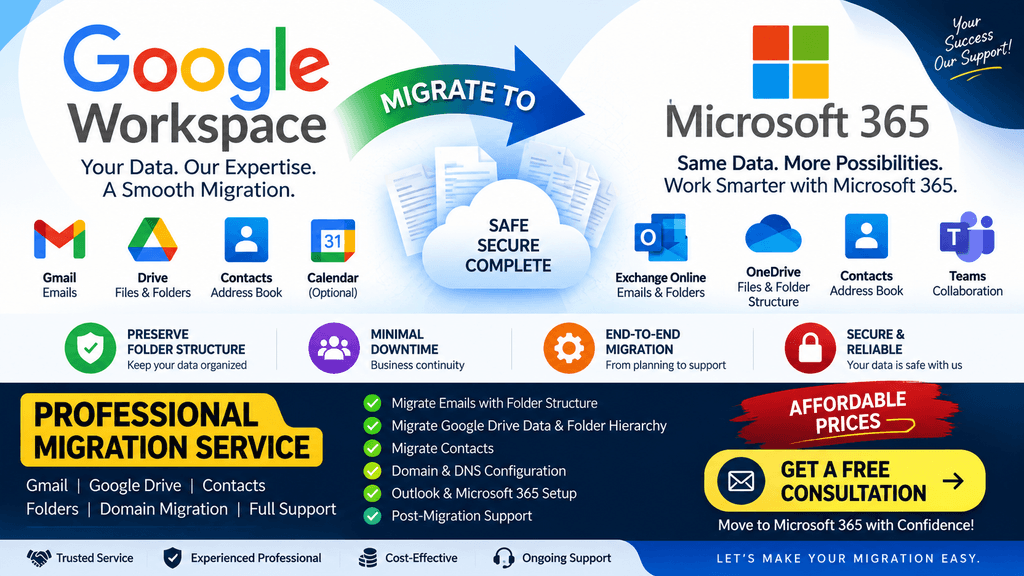
Are you planning to move your business from Google Workspace to Microsoft 365?
We provide end-to-end Google Workspace to Microsoft 365 migration services for businesses, organizations, and companies that want to move their email, contacts, Google Drive data, and user information to Microsoft 365 with minimal disruption.
Our migration service covers Gmail mailbox data, email folders/labels, contacts, Google Drive files and folders, user accounts, domain configuration, Microsoft 365 tenant preparation, DNS configuration, Outlook setup, OneDrive configuration, and post-migration support.
We can also help organizations that are moving from Google Workspace to Microsoft 365 because they want to use Exchange Online, Outlook, OneDrive, SharePoint, Microsoft Teams, Microsoft Intune, and Microsoft 365 security features.
What We Migrate from Google Workspace to Microsoft 365
Our Google Workspace migration service can cover multiple types of business data.
Google Workspace → Microsoft 365
Google Workspace
⬇️
Microsoft 365
We can assist with the migration of:
- Gmail emails
- Email folders / labels
- Mailbox structure
- Email attachments
- Contacts
- Google Drive files
- Google Drive folders
- Folder hierarchy
- Shared files
- User accounts
- Domain configuration
- DNS records
- Email routing
- Outlook configuration
- OneDrive configuration
The exact data and features that can be migrated depend on the source environment, Microsoft 365 configuration, permissions, and the migration method selected.
📧 Gmail to Exchange Online Migration
One of the most important parts of a Google Workspace migration is moving the user’s Gmail mailbox to Microsoft Exchange Online.
We can migrate the available mailbox data from Google Workspace to Microsoft 365.
Email Migration
The migration can include:
- Inbox
- Sent Items
- Drafts
- Deleted Items
- Archive
- User-created mail folders/labels
- Email messages
- Email attachments
- Historical emails
- Mailbox data
Our objective is to maintain the user’s existing mailbox organization as closely as possible in the Microsoft 365 mailbox.
Mailbox Structure
If the existing mailbox contains multiple folders or Gmail labels, we plan the migration so that the resulting Microsoft 365 mailbox has a familiar organization.
For example:
Existing Google Workspace
Inbox
│
├── Customers
│   ├── Customer A
│   ├── Customer B
│   └── Customer C
│
├── Finance
│   ├── Invoices
│   └── Payments
│
├── HR
│   ├── Leave
│   └── Employee Documents
│
└── Projects
    ├── Project A
    └── Project B
The migration is planned to preserve the logical organization of the mailbox as closely as the source and destination platforms allow.
Important: Gmail primarily uses labels rather than traditional folders. During migration, labels may be mapped to Exchange Online folders or otherwise represented according to the migration tool and configuration being used.
📁 Google Drive to OneDrive / SharePoint Migration
Email is only one part of a Google Workspace environment.
Many businesses also have several GB or TB of important business data stored in Google Drive.
We can assist with migrating Google Drive data to the appropriate Microsoft 365 destination, such as:
- OneDrive for Business
- SharePoint Online
- SharePoint document libraries
- Microsoft Teams-connected SharePoint locations
Google Drive Data Migration
Migration can include:
- Documents
- Excel/Spreadsheet files
- Presentations
- PDFs
- Images
- Videos
- ZIP files
- Office documents
- Business files
- User folders
- Shared files
- Folder structures
📂 Google Drive Folder Hierarchy Migration
Maintaining the existing folder structure is important for users.
For example, if the existing Google Drive structure is:
Company Documents
│
├── HR
│   ├── Employees
│   ├── Policies
│   └── Recruitment
│
├── Finance
│   ├── Invoices
│   ├── Accounts
│   └── Tax
│
├── Sales
│   ├── Customers
│   ├── Quotations
│   └── Reports
│
└── Projects
    ├── Project A
    ├── Project B
    └── Project C
We plan the Microsoft 365 destination so that the logical folder hierarchy and organization are retained as far as technically supported.
This helps users locate their files after migration without having to completely change their working structure.
👤 Google Contacts to Microsoft 365 Contacts
We can also assist with migrating available user contact information.
Contact Migration
This may include:
- Personal contacts
- Business contacts
- Contact names
- Email addresses
- Phone numbers
- Organization information
- Other supported contact fields
The destination and exact contact experience can vary depending on the migration method and Microsoft 365 configuration.
👥 User Account Migration
Before beginning the migration, we can help prepare the Microsoft 365 environment.
User Preparation
This can include:
- Microsoft 365 user creation
- User licensing
- Exchange Online mailbox creation
- OneDrive provisioning
- Microsoft 365 group preparation
- Distribution group preparation
- Security group preparation
- Domain configuration
- Authentication preparation
We can also prepare a migration mapping such as:
| Google Workspace | Microsoft 365 |
|---|---|
| user@company.com | user@company.com |
| Gmail mailbox | Exchange Online mailbox |
| Google Drive | OneDrive / SharePoint |
| Google Contacts | Microsoft 365 contacts |
| Google Calendar* | Microsoft 365 calendar* |
*Calendar migration requirements should be assessed separately based on the source environment and migration method.
🌐 Domain Migration & DNS Configuration
If your company already owns a business domain, we can assist with connecting it to Microsoft 365.
DNS Configuration
Depending on the environment, configuration may include:
- Domain verification
- MX records
- TXT records
- SPF
- DKIM
- DMARC
- Autodiscover
- CNAME records
- Microsoft 365 DNS records
We carefully plan the DNS cutover to reduce email interruption.
🔄 Migration Process
We follow a structured migration process rather than simply copying data from one platform to another.
Step 1 – Environment Assessment
We first review the existing Google Workspace environment.
We assess:
- Number of users
- Mailbox sizes
- Google Drive data volume
- Number of files
- Folder structures
- Shared data
- Domain configuration
- DNS records
- User accounts
- Migration requirements
- Microsoft 365 licensing
This allows us to determine the appropriate migration approach.
Step 2 – Microsoft 365 Tenant Preparation
The Microsoft 365 environment is prepared before the migration.
This can include:
- Microsoft 365 tenant setup
- Domain verification
- User creation
- License assignment
- Exchange Online preparation
- OneDrive provisioning
- Security configuration
- Authentication configuration
Step 3 – Migration Planning
We prepare a migration plan based on:
- Number of users
- Mailbox size
- Google Drive data
- Internet bandwidth
- Migration window
- Business requirements
- Required downtime
- Data volume
For larger environments, migration can be performed in batches.
Step 4 – Pilot Migration
Before migrating all users, we can perform a pilot migration.
A small number of users are selected for testing.
We verify:
- Email migration
- Mailbox folders/labels
- Attachments
- Contacts
- Google Drive files
- Folder structure
- OneDrive access
- Outlook configuration
- User sign-in
- Data accessibility
After successful validation, the remaining migration can proceed according to the agreed migration plan.
Step 5 – Pre-Migration / Initial Data Sync
Where supported by the selected migration method, an initial synchronization can be performed before the final cutover.
This allows historical data to be transferred in advance.
The objective is to minimize the amount of new data that needs to be synchronized during the final migration window.
Step 6 – Final Migration & Cutover
During the final migration phase:
- Remaining email data is synchronized
- Recent changes are migrated
- Domain/DNS changes are completed
- Microsoft 365 becomes the primary email platform
- Users are moved to Microsoft 365
- Outlook is configured
- OneDrive access is verified
The exact cutover procedure depends on the Google Workspace and Microsoft 365 environment.
Step 7 – Post-Migration Validation
After migration, we verify the environment.
Email Validation
We check:
- Send/receive
- Internal mail
- External mail
- Mailbox access
- Folder structure
- Attachments
- Historical emails
File Validation
We check:
- Files migrated
- Folder structure
- File accessibility
- User access
- Sharing requirements
- OneDrive/SharePoint availability
User Validation
We assist with:
- Outlook configuration
- Microsoft 365 sign-in
- OneDrive setup
- Mobile email configuration
- Teams configuration
- User access troubleshooting
📊 Migration Data Assessment
Before providing a final migration plan, we can assess your existing data.
For example:
| Migration Item | Assessment |
|---|---|
| Number of users | User count |
| Gmail data | Mailbox size |
| Google Drive | Total data |
| Contacts | Contact count |
| Folder structure | Existing hierarchy |
| Shared data | Shared Drive / shared files |
| Domain | Existing domain |
| DNS | Current DNS configuration |
| Microsoft 365 | Destination tenant |
| Licensing | Required licenses |
This helps us estimate the migration effort and provide a suitable service proposal.
🔐 Microsoft 365 Security After Migration
Moving to Microsoft 365 is not only about migrating data.
After migration, we can also assist with Microsoft 365 security configuration.
Services can include:
Multi-Factor Authentication
- MFA configuration
- Microsoft Authenticator
- Authentication methods
- Conditional Access-based MFA
Conditional Access
- Require MFA
- Require compliant devices
- Block legacy authentication
- Device-based restrictions
- Location-based restrictions
- Application access controls
Microsoft Intune
- Windows enrollment
- macOS enrollment
- Android enrollment
- iOS/iPadOS enrollment
- Compliance policies
- Configuration profiles
- Application deployment
- Device restrictions
- Security policies
Microsoft Defender
- Defender configuration
- Endpoint security
- Antivirus policies
- Firewall policies
- Security policies
- Endpoint protection
Data Protection
- DLP
- Sensitivity labels
- OneDrive controls
- SharePoint controls
- Data access restrictions
📱 Outlook, Mobile & User Configuration
After migration, users may need assistance configuring Microsoft 365 applications.
We can help with:
- Outlook desktop
- Outlook Web
- Android Outlook
- iPhone/iPad Outlook
- OneDrive
- Microsoft Teams
- Microsoft Office applications
We can also troubleshoot common post-migration issues such as:
- Outlook not connecting
- Password/authentication problems
- Missing emails
- Missing folders
- OneDrive synchronization problems
- Mobile email issues
- Microsoft 365 sign-in issues
🏢 Migration for Small & Medium Businesses
Our Google Workspace to Microsoft 365 migration services are suitable for:
- Small businesses
- Startups
- Medium-sized organizations
- Professional companies
- Remote organizations
- Educational organizations
- Companies moving to Microsoft 365
- Organizations consolidating IT platforms
Whether you have 5 users, 20 users, 50 users, 100+ users, or a larger environment, we can assess your requirements and prepare a migration approach.
💰 Affordable Google Workspace to Microsoft 365 Migration
We understand that many small and medium businesses need professional migration services without large consulting costs.
Our objective is to provide cost-effective Google Workspace to Microsoft 365 migration services based on your actual requirements.
Instead of paying for unnecessary services, we can assess your environment and prepare a migration plan based on:
- Number of users
- Mailbox size
- Google Drive data
- Migration complexity
- Required services
- Security requirements
- Post-migration support
Why Plan Your Migration Carefully?
A business email migration involves much more than moving emails.
Poorly planned migration can result in:
- Missing email data
- Incorrect folder structure
- File access problems
- DNS issues
- Authentication problems
- Outlook configuration issues
- User access problems
- Data synchronization issues
A properly planned migration helps reduce these risks and provides users with a smoother transition to Microsoft 365.
Google Workspace to Microsoft 365 Migration Checklist
Before migration:
☑ Assess Google Workspace
☑ Check users and mailboxes
☑ Check Google Drive data
☑ Review folder structure
☑ Review contacts
☑ Prepare Microsoft 365 tenant
☑ Create users
☑ Assign licenses
☑ Verify domain
☑ Prepare DNS
☑ Configure migration
☑ Perform pilot migration
During migration:
☑ Migrate mailbox data
☑ Migrate email attachments
☑ Migrate contacts
☑ Migrate Google Drive data
☑ Maintain logical folder structure
☑ Perform incremental synchronization
☑ Complete final cutover
After migration:
☑ Verify email delivery
☑ Verify historical emails
☑ Verify mailbox folders
☑ Verify Google Drive/OneDrive data
☑ Configure Outlook
☑ Configure mobile devices
☑ Verify user access
☑ Configure Microsoft 365 security
☑ Provide post-migration support
📞 Need Google Workspace to Microsoft 365 Migration?
If your company is currently using Google Workspace / Gmail / Google Drive and you want to move to Microsoft 365, we can help with the complete migration process.
Our Google Workspace Migration Services Include
Gmail → Exchange Online
Google Drive → OneDrive / SharePoint
Google Contacts → Microsoft 365
Google Workspace Domain → Microsoft 365
User & Mailbox Migration
Folder / Label Structure Migration
DNS & Domain Configuration
Outlook Configuration pilot user
Microsoft 365 Security Configuration
Microsoft Intune / Endpoint Management
Post-Migration Microsoft 365 Support
Get in Touch
Send us your migration requirements and we can review your environment.
Please provide:
- Number of users
- Approximate mailbox size
- Google Drive data size
- Current domain
- Required Microsoft 365 services
- Migration timeline
Contact Us
📧 Email: support@imphistory.com
📱 WhatsApp: +91-9920133678
Google Workspace to Microsoft 365 Migration | Gmail Migration | Google Drive Migration | Microsoft 365 Setup | Microsoft Intune | Microsoft 365 Support
Get professional migration assistance at an affordable price with a structured migration and post-migration support process.
Additional Service
Professional Microsoft 365 Migration and Cloud IT Services






Recent Comments