
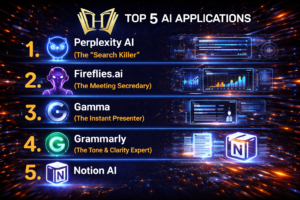
Here are the 5 best AI applications with powerful free tiers that will actually move the needle on your daily productivity:
1. Perplexity AI -The "Search Killer"

Perplexity AI, often dubbed the "Search Killer," has fundamentally shifted the search landscape in 2026. It has transitioned from a niche AI tool to a $21 billion "answer engine" that prioritizes direct, cited information over the traditional "list of links" provided by Google.Here are the deep details on how it works, its business model, and its current standing in the market.
The "Model Council" (New in 2026)
A standout feature for Pro users is the Model Council, allowing you to compare answers from different "frontier" models—like GPT-5.2, Claude 4.6, and Gemini 3.1 Pro—side-by-side to ensure the highest accuracy.
2026 Roadmap & Innovations
Perplexity's pivot away from advertising in February 2026 was a major strategic move, positioning it as the "objective" alternative to Google’s ad-heavy ecosystem.
omet Browser: A native browser designed specifically for AI-led workflows, capable of managing dozens of tabs to complete complex, multi-step research tasks.
AI Shopping Hub: Powered by Amazon and NVIDIA, this allows users to research products and checkout directly within the Perplexity interface.
Deep Research: A mode that doesn't just answer a question but writes full, structured reports with charts and data tables by performing iterative web searches.
Technical Architecture: The RAG Pipeline
Perplexity doesn't just "chat"; it performs Retrieval-Augmented Generation (RAG). When you ask a question, it follows a rigorous 6-stage process:
Intent Parsing: It breaks your natural language into optimized search queries.
Real-Time Retrieval: It uses a hybrid search (combining traditional keyword matching with semantic AI "embeddings") to crawl the live web.
Multi-Layer Ranking: A three-tier machine learning system filters thousands of potential sources. In 2026, it uses a 0.7 quality threshold; if no source is high-quality enough, it triggers a re-query rather than guessing.
Context Assembly: It pre-attaches source metadata (URLs, dates) to the text before the AI even starts writing.
LLM Synthesis: The final answer is "architecturally bound" to the evidence. It can only say what the sources say, using inline citations to prevent hallucinations.


2. Fireflies.ai (The Meeting Secretary)
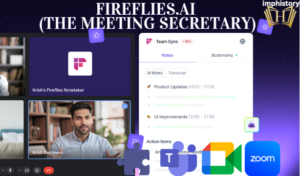
" Fireflies.ai is the "Secretary Killer." In 2026, it has moved far beyond simple transcription to become a fully autonomous Meeting Intelligence Hub.While it still handles the basics (recording and transcribing), its 2026 version functions as a proactive member of your team. Here are the deep details:
Fireflies.ai is an AI-powered meeting assistant that records, transcribes, and summarizes meetings, helping businesses save time, improve communication, and manage tasks more efficiently.
3. Gamma (The Instant Presenter)
Gamma is an AI-powered platform known as the "Instant Presenter" for rapidly creating stunning presentations, documents, and websites from simple prompts or outlines. It leverages advanced AI models to handle design, content generation, and layouts, saving users hours on traditional tools like PowerPoint.
Gamma turns ideas into polished content instantly, using 20+ AI models for high-quality output including text, images, charts, and themes. Key capabilities include AI-generated layouts, real-time collaboration, embeds for videos/Figma/Airtable, and exports to PPT, PDF, or Google Slides. It also supports web-native sharing with analytics and responsive designs for any device

4. Grammarly (The Tone & Clarity Expert)
Grammarly is an AI-powered writing assistant excelling in tone detection and clarity enhancement. It provides real-time corrections for grammar, spelling, and style across platforms like browsers and apps.
The tool flags complex sentences, redundancies, and vague phrasing, suggesting concise rewrites and readability improvements. It personalizes suggestions based on user habits and integrates with Google Docs, Gmail, and more

Founded in 2009, Grammarly has evolved into a comprehensive communication platform used by millions, now part of Superhuman, emphasizing privacy and authenticity in AI-driven editing.
5. Notion AI
Notion AI is an integrated AI toolkit within the Notion workspace, powered by models like GPT-4 and Claude, designed to boost productivity through writing assistance, summarization, and automation. It understands your workspace context for relevant outputs, such as drafting emails, brainstorming ideas, or extracting action items from notes.

Core capabilities include text generation/rewriting (shorten, expand, adjust tone), smart summaries of documents or meetings, autofill for databases, natural language Q&A across pages, and multilingual translation. Additional tools cover research mode for reports, AI meeting notes (transcribe/summarize), and task creation from ideas.
It's available as an add-on across plans, with free tier limits and unlimited use on Plus/Business tiers (around $10/user/mo plus AI fee).
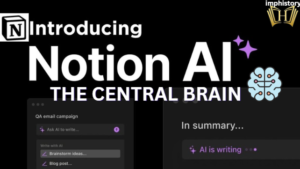
Key Points:
Writing Tools: Generate, edit, summarize content in blocks.
Automation: Autofill databases, Q&A on docs, meeting insights.
Use Cases: Notes, projects, teams—context-aware vs generic AI.
Access: Prompt via "/ai" or block menu; beta Q&A for docs.





usmxyxhmqvjfkhytghjyzjzmhktjln